Singapore
 Australia
 Indonesia
 Japan
Japan Malaysia
 New Zealand
 Philippines
 South Korea
 Taiwan
 Thailand
 VIETNAM
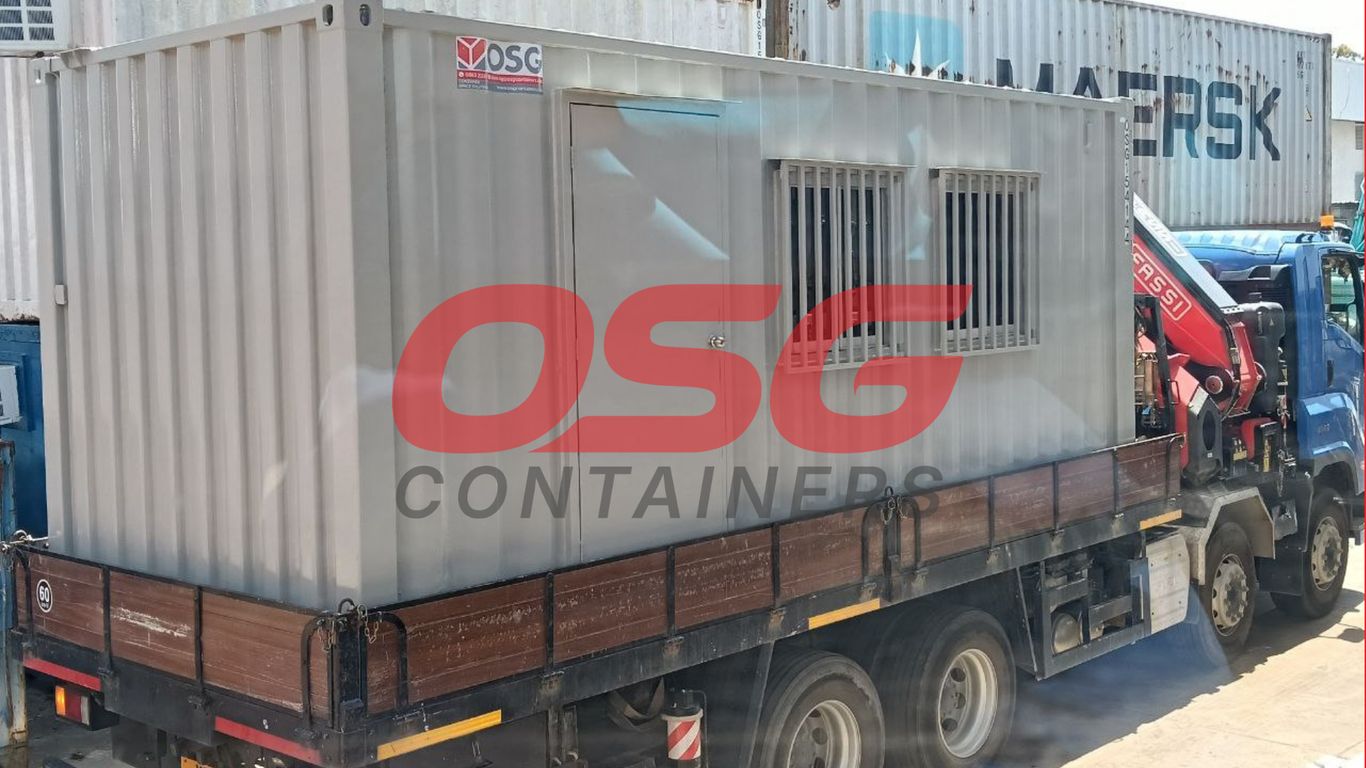
Moving your office, or even just a single site office, can feel like a huge undertaking. It’s not just about packing up desks and chairs; there’s a whole world of technology that needs to come along for the ride. Getting this wrong means downtime, lost work, and a lot of headaches. This guide breaks down the whole process, from the initial idea of moving to getting settled in the new spot and shutting down the old one.
Key Takeaways
- Start the site office move process by forming a dedicated team and setting clear goals for day one. Having a solid timeline is also important.
- Before you move, do a thorough check of all your IT stuff. Figure out what you have, what the new place can handle, and how your network will work there.
- Make sure your data is safe. Back it up properly, check that you can get it back, and pick the best way to move it all.
- When moving day comes, coordinate everything closely. This includes getting your IT systems physically moved and set up, with support on hand.
- After the move, test everything to make sure it’s working right for everyone. Be ready to fix any problems that pop up quickly.
Initiating The Site Office Relocation Process
Moving your office is a big deal, and honestly, the IT stuff can feel like the scariest part. It’s not just about unplugging computers and plugging them back in somewhere else. If you mess this up, you could be looking at days, maybe even weeks, of downtime, lost information, and a whole lot of unhappy people. So, getting the start right is super important.
Assembling The Core Relocation Team
First things first, you need a crew. Don’t try to do this alone. Think about who needs to be involved from the get-go. You’ll definitely want someone from facilities, HR, and maybe a rep from each department that relies heavily on IT. And, of course, your IT folks or your IT support company need to be front and center. Getting your IT partner involved at least 8 to 12 weeks before the move date is a really good idea. This gives them enough time to actually look at your current setup, figure out what you have, and start planning how it’s all going to work in the new place. It’s about making sure the tech side matches what the business actually needs.
Defining Success Criteria For Day One
What does a successful move look like on the first day in the new office? You need to decide this upfront. Is it that everyone can log in without a hitch? That the printers are working? That the Wi-Fi is stable? Maybe it’s just that the core systems are up and running. It’s also smart to agree on pausing any non-essential IT changes right before the move. This keeps things simple and reduces the chance of unexpected problems. Think about what absolutely must be working for people to do their jobs.
Establishing A Realistic Project Timeline
Okay, so you’ve got your team and your goals. Now, let’s talk time. A typical office move, especially the IT part, needs a solid timeline. Here’s a rough idea of what you might be looking at:
- 3 Months Out: Start the detailed IT planning. This includes surveying the new site and creating an inventory of all your current IT gear.
- 6-8 Weeks Out: Finalize the network design for the new space. Start ordering any new equipment or services needed, like internet connections.
- 2-4 Weeks Out: Begin data backups and testing. Coordinate with movers and vendors.
- 1 Week Out: Final system checks and preparations for the physical move.
- Move Weekend: Execute the physical move and initial setup.
- Day One: On-site support and immediate troubleshooting.
Planning ahead is key. Trying to rush IT setup right before or after a move is a recipe for disaster. Give yourself and your team the time needed to do it right, and you’ll save yourself a lot of headaches later on.
Comprehensive Site Office IT Audit And Planning
Before you even think about packing up the servers, you need to know exactly what you have and where it’s going. This part of the move is all about getting a clear picture of your technology. It’s like taking stock before a big declutter, but with way more cables.
Cataloging All Existing IT Assets
This means making a list of absolutely everything. We’re talking computers, monitors, printers, routers, switches, phones, even that old scanner in the corner nobody uses anymore. For each item, jot down the make, model, serial number, and where it is right now. Also, note down any software licenses tied to specific machines and when support contracts are up for renewal. This list is your bible for the move; it helps make sure nothing gets lost and you know what needs replacing or upgrading.
Here’s a quick way to think about it:
- Hardware: Every physical piece of tech.
- Software: Licenses, subscriptions, and what they run on.
- Connectivity: Internet service, phone lines, Wi-Fi setup.
- Peripherals: Printers, scanners, webcams, etc.
Assessing New Site Infrastructure Readiness
Now, you need to check out the new place. Is there enough power? Are there enough network ports where people will actually sit? What’s the internet situation like? You don’t want to move in and find out the building’s wiring is ancient or the internet speed is slower than dial-up. It’s best to get someone to look at the new space early on. They can check:
- Power and UPS: Enough outlets, and are there backup power systems?
- Cabling: Is the network cabling in place and working?
- Internet Service: What providers are available, and how fast are they?
- Server Room: Is there a secure, cool space for the main equipment?
Designing The Future Network Architecture
This is your chance to improve things. Don’t just copy the old setup. Think about how your team works and what you’ll need in the next few years. Maybe you need faster Wi-Fi, better security, or a more organized network. Plan out how everything will connect in the new space. This might involve deciding on new equipment or reconfiguring what you already have to work better.
Planning the network architecture for a new site isn’t just about connecting devices; it’s about building a foundation for future growth and efficiency. Consider how your team collaborates and what technologies will support them best, not just today, but for years to come. This forward-thinking approach can prevent costly upgrades down the line and keep your operations running smoothly.
Securing Data During The Site Office Move
Moving your office, whether it’s a full relocation or just a temporary setup using something like office containers for rent, means your data is on the move too. This is a big deal, and you can’t just shove hard drives into a box and hope for the best. We need a solid plan to keep everything safe and sound.
Implementing Robust Data Backup Strategies
Before anything gets packed or unplugged, the absolute first step is backing up all your important files. Think of it like making copies of your most precious photos before you move house. A good rule of thumb is the 3-2-1 backup method: three copies of your data, stored on two different types of media, with at least one copy kept off-site. This way, if something happens to your main systems or even your primary backup, you’ve still got a safe copy somewhere else. This is non-negotiable, especially when you’re dealing with sensitive company information.
Verifying Data Integrity And Test Restores
Having backups is one thing, but knowing they actually work is another. It’s like having a spare key but never checking if it fits the lock. We need to perform test restores regularly. This means picking a few files, or even a whole system, and trying to bring it back from the backup. This process confirms that the data is readable and that you can actually get it back when you need it. It’s a critical step that many people skip, and it can cause major headaches later on.
Choosing The Optimal Data Migration Method
When it’s time to actually move the data, there are a few ways to go about it. You could physically move servers, use cloud-based transfer services, or even set up temporary network links. The best method depends on how much data you have, how quickly you need it at the new location, and your budget. For smaller moves, or when using temporary office containers for rent, a simple external drive transfer might work. For larger, more complex moves, a dedicated migration service or cloud solution is usually better. The goal is to minimize downtime and risk of data loss during the transition.
Planning for data security during a move isn’t just about IT; it involves everyone. Clear communication about what’s happening with data, who is responsible for backups, and how to report any issues is key to a smooth transition. Don’t forget about physical security for any storage media during transit, too.
Here’s a quick look at common data migration methods:
- Physical Media Transfer: Copying data to external hard drives or tapes and physically moving them. Good for large amounts of data when network transfer is slow or costly.
- Network Transfer: Using secure network protocols (like SFTP or VPNs) to move data over the internet or a dedicated line. Suitable for ongoing transfers or when real-time access is needed.
- Cloud Migration Services: Utilizing cloud provider tools or third-party services to move data to and from cloud storage. Often the most flexible and scalable option.
- Hybrid Approaches: Combining different methods based on the type of data and urgency.
Executing The Site Office Transition
This is where all the planning really comes to life. The actual move day, or days, can feel chaotic, but with a solid plan, it’s more about coordinated execution than pure survival. The goal is to get everyone back to work with minimal fuss.
Coordinating Vendor And Logistics Management
Getting all the different players on the same page is a big part of this phase. You’ve got IT moving equipment, furniture movers, possibly building management for access, and maybe even internet providers. Keeping track of who needs to be where and when is key. A good project manager will have a detailed schedule for all these groups, making sure they don’t get in each other’s way and that everything happens in the right order. Think of it like a well-rehearsed play – everyone has their cue.
- Confirming arrival times for all vendors.
- Establishing clear communication channels for the day of the move.
- Having a point person for each vendor to liaise with.
- Securing necessary access and parking permits for moving trucks.
Managing Physical Transport Of IT Systems
This is the part that probably causes the most anxiety. Moving servers, workstations, and all the network gear needs to be done carefully. It’s not just about throwing boxes around. Equipment needs to be packed properly, labeled clearly, and transported securely. If you’ve done your inventory and labeling well, this part should be straightforward, but it still requires attention to detail. The physical movement of IT assets is a critical step that requires careful handling to prevent damage.
| Item Type | Packing Method | Transport Security | Tracking Method |
|---|---|---|---|
| Servers/Network Gear | Anti-static wrapping, padded cases | Secured in truck, climate control if needed | Asset tag scan |
| Workstations | Original boxes or custom foam | Strapped down, protected from impact | Asset tag scan |
| Peripherals | Bubble wrap, small boxes | Stowed safely with larger items | Asset tag scan |
On-Site Support During System Deployment
Once the equipment arrives at the new site, the real work begins: getting it all set up and running. This is where having IT staff or hired technicians on-site is absolutely vital. They’ll be connecting everything, powering it up, and doing initial checks. It’s important to have a plan for which systems come online first. Usually, it’s the core network infrastructure, then servers, and finally user workstations and phones.
Having a dedicated support team present during the deployment phase means that any immediate issues can be identified and addressed on the spot. This significantly reduces downtime and frustration for employees when they arrive to start working.
- Prioritize network and server setup for core functionality.
- Deploy workstations and user-specific equipment based on departmental needs.
- Test basic connectivity for all devices as they are brought online.
- Have a clear process for reporting and escalating issues encountered during setup.
Post-Move Site Office Operations And Testing
So, you’ve moved all the computers, the servers are humming, and people are starting to settle into the new space. But hold on, the job isn’t quite done yet. This is where we really make sure everything is working as it should be, and that everyone can actually get their work done without pulling their hair out.
Thorough System Testing And Validation
This is the part where we don’t just assume things are working because the lights are on. We need to poke and prod every system to make sure it’s performing. Think of it like test-driving a car after it’s been serviced – you want to know the brakes work, the engine runs smooth, and all the gadgets do their thing.
Here’s a quick rundown of what we’re checking:
- Network Connectivity: Is the Wi-Fi strong in all the usual spots? Can people connect to the network drives without a fuss? We’re looking for consistent speeds and reliable connections.
- Application Performance: Are the main business applications loading quickly? Are there any weird error messages popping up when people try to use them?
- Peripherals: Printers, scanners, copiers – are they all talking to the network and working correctly? It’s amazing how often these little things cause big headaches.
- Communication Tools: Phone systems, video conferencing software, instant messaging – can everyone connect and communicate effectively, both internally and externally?
We need to confirm that all core business functions are operational before declaring the move a success.
Ensuring Operational Readiness For All Users
Testing the systems is one thing, but making sure the people using them are happy and productive is another. This means getting feedback from the folks on the ground.
- User Acceptance Testing (UAT): Get a small group of users from different departments to try out their daily tasks. Their real-world experience is invaluable.
- Help Desk Readiness: Is the IT support team ready to handle the inevitable questions and issues that will arise? They should have a clear understanding of the new setup and common problems.
- Training Refreshers: If there are any new systems or changes to existing ones, offer quick refresher sessions or provide easy-to-access guides.
It’s easy to get caught up in the technical details of the move, but we can’t forget that the office is for people. Their ability to do their jobs smoothly is the ultimate measure of success.
Immediate Troubleshooting And Issue Resolution
Even with the best planning, things can go wrong. The key here is to be ready to fix problems fast. A quick response can prevent minor glitches from turning into major disruptions.
- Establish a "War Room": Designate a space or a virtual channel where IT staff and key stakeholders can quickly gather to discuss and resolve issues.
- Prioritize Fixes: Not all problems are created equal. Focus on fixing issues that are blocking critical business operations first.
- Document Everything: Keep a log of all issues reported, the steps taken to resolve them, and the outcome. This helps identify recurring problems and improves future moves.
| Issue Type | Reported | Resolved | Pending | Priority |
|---|---|---|---|---|
| Network Connectivity | 15 | 12 | 3 | High |
| Printer Issues | 8 | 7 | 1 | Medium |
| Software Glitches | 5 | 3 | 2 | Medium |
| User Login | 2 | 2 | 0 | High |
Site Office Decommissioning And Closure
Planning For Asset Disposal Or Storage
So, the new site office is up and running, and everyone’s settled in. Now comes the less glamorous, but totally necessary, part: closing down the old place. This isn’t just about packing up the last few boxes. It’s about making smart decisions about what happens to everything left behind. Think about your furniture, old computers, and any equipment that didn’t make the cut for the new location. Some items might be ready for retirement – maybe they’re broken or just too outdated. For these, you’ll want to look into responsible disposal methods. This could mean recycling electronics, donating usable furniture, or working with specialized services for hazardous materials. Other items might still be useful but not needed right away. These could be stored for future projects or temporary needs. If you used an office container or a container as an office for a specific project phase, now’s the time to decide if it’s needed elsewhere or if it can be returned or sold.
Ensuring Data Security During Decommissioning
Before you hand over the keys to the old site, data security is a big deal. You’ve moved all your active files, but what about the old hard drives, servers, or even paper records that are no longer needed? Simply tossing them is a huge risk. You need a solid plan to make sure sensitive information doesn’t fall into the wrong hands. This usually involves secure data destruction. For digital data, this means wiping drives thoroughly using specialized software or physically destroying the media. For paper documents, professional shredding services are the way to go. Make sure you get a certificate of destruction to prove it’s been done properly. This step is non-negotiable, no matter how small the old office was.
Meeting Lease Obligations For The Old Site
Don’t forget about the lease agreement for your former location. Landlords usually have specific requirements for how the space should be returned. This often includes:
- Cleaning: A thorough professional cleaning might be required.
- Repairs: Patching holes in walls, touching up paint, and fixing any damage caused during your tenancy.
- Removal of Fixtures: Taking out any non-permanent installations you put in.
- Final Walk-Through: Scheduling a joint inspection with the landlord or property manager to confirm everything is in order.
Ignoring these can lead to unexpected costs or disputes. It’s a good idea to review your lease agreement early in the decommissioning process and budget for any necessary work. This way, you can close out that chapter cleanly and avoid any lingering financial surprises.
Leaving a site office in good condition not only fulfills contractual obligations but also maintains a positive relationship with property owners, which can be beneficial for future ventures.
Wrapping It Up
So, moving a site office, especially the tech side of things, is a pretty big deal. It’s not just about packing up computers and plugging them in somewhere else. You really need a solid plan from the get-go, thinking about everything from what gear you have to how the network will work in the new spot. Getting it right means your team can keep working without a hitch, and getting it wrong can cause a whole lot of headaches and lost time. If it all sounds like too much, remember there are folks who do this for a living and can make the whole process much smoother. Ultimately, a well-managed move sets you up for success in your new location.
Frequently Asked Questions
What’s the first step when planning an office move?
The very first thing you should do is gather a team to handle the move. This team should include people from IT, different departments, and maybe even an outside expert. It’s also super important to figure out what a successful move looks like for your business on day one, like making sure everyone can log in and start working right away.
How do you make sure all the computers and tech stuff gets moved safely?
Before anything moves, you need to make a detailed list of all your tech – computers, printers, servers, everything. Then, before the move, you’ll make sure to back up all your important data. During the move, these items are carefully packed and tracked so nothing gets lost. After arriving at the new place, they are set up and tested to make sure they work perfectly.
What happens to the old office space after the move?
When you leave the old office, you need to make sure it’s left in good shape, as your lease likely requires. This might mean cleaning it up, fixing any damage, and making sure all your old equipment is either stored, sold, or properly gotten rid of. It’s also important to securely delete any sensitive data left behind.
How long does an office IT move usually take?
Most office IT moves can be finished within about a month, from the very beginning of planning to the final checks in the new location. The exact time can change depending on how big your office is and how complicated your computer systems are. You usually get a schedule at the start so you know what to expect.
Why is it important to plan the network for the new office ahead of time?
Planning the network for your new office ahead of time is crucial. You need to decide things like how your Wi-Fi will work, where the cables will go, and if you need faster internet. Thinking about this early helps make sure your technology will support your business not just now, but also as it grows in the future.
What should we do right after moving into the new office?
Once you’re in the new office, the most important thing is to test everything. This means checking that computers turn on, people can log in, phones work, and meetings can happen smoothly. You also need to be ready to fix any problems that pop up right away to keep everyone working without interruption.